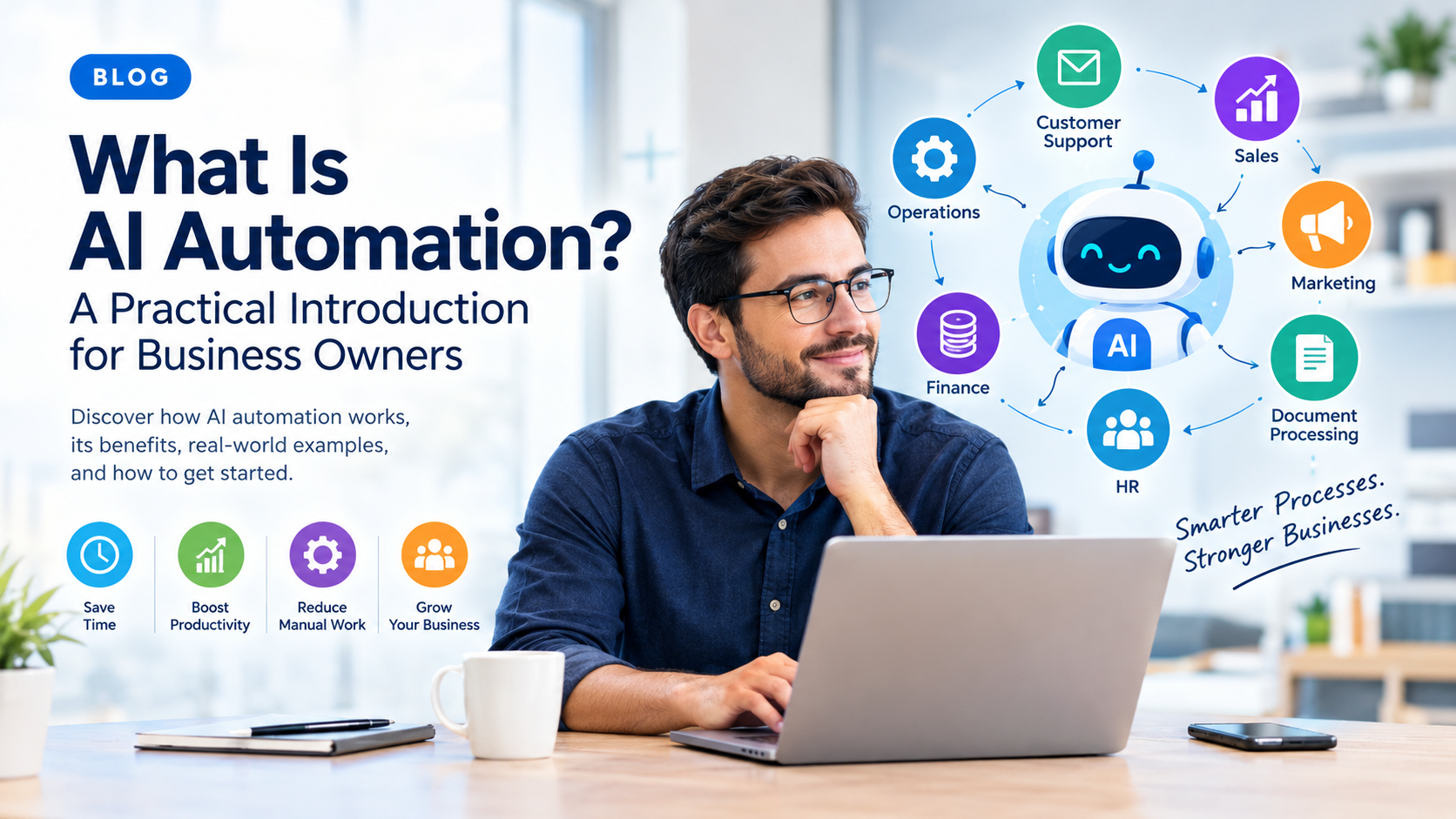
AI automation is changing how businesses handle repetitive work, manage information, communicate with customers, and make operational decisions.
But what exactly does AI automation mean?
In simple terms, AI automation combines artificial intelligence (AI) with automated workflows so that software can perform tasks that traditionally required human effort, especially tasks involving data, language, patterns, predictions, or decisions.
For a business owner, the goal is not simply to “use AI.”
The real goal is to reduce unnecessary manual work, improve efficiency, respond faster, and give employees more time to focus on higher-value activities.
This guide explains what AI automation is, how it works, where businesses can use it, its benefits and limitations, and how to identify the right processes to automate.
Key Takeaways
- AI automation combines artificial intelligence with automated workflows.
- Traditional automation generally follows predefined rules, while AI automation can work with more complex and unstructured information.
- Businesses can use AI automation for customer support, sales, marketing, operations, data processing, finance, and internal workflows.
- The best automation opportunities are usually repetitive, time-consuming, rules-based, and high-volume processes.
- AI automation does not mean replacing every human task. In many cases, the best approach is human + AI collaboration.
- Businesses should start with a specific process, measure its results, and expand automation gradually.
What Is AI Automation?
AI automation is the use of artificial intelligence technologies to perform or improve business tasks automatically with limited human intervention.
Traditional automation usually follows clearly defined instructions:
If X happens, do Y.
AI automation can go further by using AI to understand information, classify content, generate responses, identify patterns, make predictions, or decide which workflow should happen next.
For example, imagine a company receives hundreds of customer emails every week.
A traditional automation might send every email containing the word “invoice” to the accounting department.
An AI-powered workflow could analyze the meaning of each email, determine whether the customer is asking about an invoice, identify the relevant customer information, classify the request, and route it to the appropriate team.
The difference is important.
Traditional automation primarily follows rules. AI automation can interpret information and make context-based decisions within a workflow.
How Does AI Automation Work?
AI automation typically combines several components:
- Input
- AI processing
- Decision-making
- Workflow automation
- Action
- Human review when necessary
A simple AI automation workflow might look like this:
Customer message → AI understands the request → Workflow identifies the next step → System updates the CRM → Customer receives a response
Step 1: An event triggers the workflow
Something happens that starts the process.
Examples include:
- A customer submits a form.
- An email arrives.
- A new lead enters the CRM.
- A document is uploaded.
- A payment is received.
- A support ticket is created.
Step 2: AI processes the information
The AI system analyzes the available information.
Depending on the use case, it might:
- Read text
- Summarize information
- Extract data
- Classify a request
- Detect sentiment
- Generate content
- Identify patterns
- Recommend an action
- Predict an outcome
Step 3: The workflow decides what happens next
The automation platform uses the AI output to determine the next action.
For example:
High-priority customer complaint → notify manager
Sales inquiry → create CRM lead
Invoice document → extract information → send to accounting
Step 4: The system performs an action
The workflow can then perform actions across connected business systems.
For example:
- Send an email
- Update a CRM
- Create a task
- Generate a report
- Update a spreadsheet
- Notify an employee
- Create a support ticket
- Move a document
- Trigger another workflow
Step 5: A human reviews important decisions
Not every process should be completely automated.
For sensitive, expensive, or high-risk decisions, businesses can use a human-in-the-loop approach.
This means AI prepares or recommends an action, but a person approves it before the final action happens.
AI Automation vs Traditional Automation
AI automation and traditional automation are related, but they are not exactly the same.
| Traditional Automation | AI Automation |
| Primarily follows predefined rules | Can interpret information and context |
| Works well with structured data | Can work with structured and unstructured data |
| Usually predictable | Can handle more variable inputs |
| Uses if/then logic | Can use AI models alongside workflow logic |
| Best for repetitive rule-based tasks | Best for tasks involving language, classification, prediction, or judgment |
| Example: Move every submitted form into a spreadsheet | Example: Read a form, classify the lead, summarize it, and route it to the correct salesperson |
Simple example
Traditional automation:
If a customer submits a form, send an email.
AI automation:
Read the customer’s request, determine what they need, identify the appropriate response, update the CRM, and notify the right employee.
The second workflow involves more interpretation.
That is where AI can add value.
Why Is AI Automation Important for Businesses?
Businesses generate enormous amounts of information every day.
Employees may spend hours:
- Reading emails
- Entering data
- Copying information between systems
- Creating reports
- Answering repetitive questions
- Qualifying leads
- Scheduling meetings
- Processing documents
- Following up with customers
- Searching for information
Many of these activities are necessary, but they do not always require continuous human attention.
AI automation can help businesses reduce the amount of manual work involved in these processes.
The potential benefits include:
- Save time
Automated workflows can handle repetitive tasks without requiring an employee to perform every step manually.
- Reduce repetitive work
Employees can spend less time copying, sorting, searching, and organizing information.
- Improve response times
Automated systems can respond to certain requests immediately rather than waiting for an employee to become available.
- Improve consistency
A well-designed workflow can apply the same process repeatedly.
- Scale operations
A business may be able to process more leads, support requests, documents, or transactions without increasing manual work at the same rate.
- Give employees more time for valuable work
The objective should not simply be fewer employees doing more work.
A better objective is to allow employees to spend more time on activities that require creativity, relationships, strategy, expertise, and judgment.
What Are Some Examples of AI Automation?
AI automation can be applied across almost every business function.
1. Customer Support Automation
AI can help businesses process customer questions, categorize support requests, summarize conversations, and suggest responses.
For example:
Customer message → AI identifies the issue → ticket is categorized → relevant information is retrieved → response is drafted → human approves if necessary
This can reduce the amount of manual work required by support teams.
2. Sales Automation
Sales teams often spend significant time researching leads and performing follow-ups.
AI automation can help with:
- Lead qualification
- Lead classification
- Customer research
- Email drafting
- Follow-up reminders
- CRM updates
- Meeting summaries
- Sales opportunity prioritization
For example, after a sales call, an AI system could summarize the conversation and automatically update relevant CRM fields.
3. Marketing Automation
AI can support marketing workflows by helping teams:
- Generate content drafts
- Categorize audiences
- Analyze customer feedback
- Repurpose content
- Summarize campaign performance
- Personalize communications
- Identify content topics
Human marketers can still review and refine the output before publication.
4. Document Processing
Businesses deal with invoices, contracts, applications, forms, reports, and other documents.
AI automation can help extract information from these documents and move it into business systems.
For example:
Invoice received → AI extracts invoice details → information is validated → accounting system is updated → employee receives notification
This can eliminate significant amounts of manual data entry.
5. Human Resources
AI automation can support HR workflows such as:
- Employee onboarding
- Document collection
- Frequently asked questions
- Interview scheduling
- Resume organization
- Internal knowledge retrieval
- Employee communication
Sensitive HR decisions should still receive appropriate human oversight.
6. Finance and Accounting
Finance teams can use automation for tasks such as:
- Invoice processing
- Expense categorization
- Payment reminders
- Report preparation
- Data reconciliation
- Financial document extraction
Businesses should apply additional controls to financial workflows because errors can have direct financial consequences.
7. Internal Knowledge Management
Employees often waste time searching for information.
AI automation can connect employees with internal documentation, policies, procedures, and knowledge bases.
For example:
Employee asks a question → AI searches approved company knowledge → answer is generated → source information is provided.
This can make internal information easier to access.
What Business Processes Should You Automate With AI?
Not every process is a good candidate for AI automation.
A good starting point is to look for tasks that are:
- Repetitive
- Time-consuming
- High-volume
- Predictable
- Digital
- Based on information that already exists
- Easy to measure
- Expensive to perform manually
A simple evaluation framework is:
Frequency
How often does the task happen?
Time
How many employee hours does it consume?
Volume
How many transactions, emails, documents, or requests are involved?
Complexity
Does the task require genuine human judgment?
Risk
What happens if the automation makes a mistake?
Measurability
Can you clearly measure whether automation improved the process?
The best first automation is usually not the most complicated one.
It is often the process where a business can achieve a clear improvement with relatively low risk.
What Should Businesses Not Automate?
AI automation is powerful, but automation for its own sake can create new problems.
Be cautious when automating processes that involve:
- Sensitive personal information
- Major financial decisions
- Legal decisions
- Safety-critical decisions
- Complex negotiations
- High-impact employment decisions
- Situations requiring empathy or nuanced judgment
The question should not be:
“Can AI automate this?”
Instead, ask:
“Should AI automate this, and what level of human oversight is appropriate?”
That distinction is critical.
What Are the Challenges of AI Automation?
AI automation has significant potential, but it also introduces challenges.
Accuracy
AI systems can make mistakes. Businesses should identify where errors are acceptable and where human review is required.
Data quality
Poor-quality data can produce poor automation results.
Integration
AI automation may need to connect multiple systems such as:
- CRM platforms
- Accounting software
- Customer support systems
- Databases
- Project management tools
Poor integrations can create fragile workflows.
Security and privacy
Businesses need to understand what data is being processed, where it is stored, who can access it, and which third-party systems are involved.
Employee adoption
Employees need to understand how automation changes their workflows.
A technically successful automation can still fail if employees do not trust or use it.
Maintenance
AI automation is not always a “set it and forget it” project.
Workflows may need monitoring, testing, updating, and optimization as business processes change.
How Much Does AI Automation Cost?
There is no single price for AI automation.
The cost depends on factors such as:
- Number of workflows
- AI model usage
- Automation platform
- Software integrations
- Data volume
- Development requirements
- Security requirements
- Human review requirements
- Ongoing maintenance
A simple workflow may require only existing software and configuration.
A complex enterprise automation may require custom development, integration work, monitoring, security controls, and ongoing support.
Instead of asking only:
“How much does AI automation cost?”
business owners should also ask:
“How much does this process currently cost us?”
If employees spend hundreds of hours every month performing a repetitive process, automation may have a measurable return on investment.
How to Calculate the ROI of AI Automation
A simple starting formula is:
Automation ROI = (Value Created − Automation Cost) ÷ Automation Cost × 100
For example, suppose a business spends $2,000 per month on a repetitive process.
An automation system costs $500 per month to operate.
If automation reduces the manual cost to $800 per month, the business saves:
$2,000 − $800 − $500 = $700 per month
The calculation should also consider less obvious benefits such as:
- Faster response times
- Fewer errors
- Better customer experience
- Increased sales capacity
- Improved employee productivity
- Ability to handle higher volumes
How to Start With AI Automation
Business owners do not need to automate everything at once.
A practical approach is to start small.
Step 1: Map your current processes
Write down repetitive workflows across sales, support, finance, marketing, operations, and administration.
Step 2: Identify the biggest bottleneck
Look for a process that consumes significant time but does not require constant human judgment.
Step 3: Define the desired outcome
For example:
Reduce manual lead qualification from 20 minutes per lead to 5 minutes.
A specific target makes the project easier to evaluate.
Step 4: Choose the right automation approach
Depending on the process, you may need:
- Rule-based automation
- AI-powered classification
- Generative AI
- Document processing
- AI agents
- Human approval workflows
- A combination of these technologies
Step 5: Start with a small pilot
Automate one workflow before attempting to redesign an entire department.
Step 6: Measure the results
Track metrics such as:
- Time saved
- Processing volume
- Error rate
- Response time
- Cost per transaction
- Conversion rate
- Employee satisfaction
- Customer satisfaction
Step 7: Improve and expand
Once the workflow works reliably, look for related processes that can benefit from the same automation infrastructure.
AI Automation vs AI Agents
The terms AI automation and AI agents are sometimes used interchangeably, but they are not identical.
AI automation generally refers to using AI inside a predefined workflow.
AI agents can be designed to pursue a goal by deciding which actions or tools to use within defined boundaries.
For example:
AI automation:
New lead → analyze lead → assign lead → send email.
AI agent:
Research this lead, determine the appropriate next step, gather relevant information, update the CRM, and prepare a personalized follow-up according to company rules.
The distinction becomes increasingly important as businesses adopt more autonomous AI systems.
Is AI Automation the Same as Replacing Employees?
No.
AI automation can replace certain tasks, but that does not automatically mean replacing entire jobs.
Most jobs contain a combination of:
- Repetitive tasks
- Analytical tasks
- Communication
- Judgment
- Relationship building
- Creativity
- Decision-making
AI may automate some parts of a role while leaving other responsibilities to employees.
In many businesses, the more useful question is:
How can employees work with AI to accomplish more?
rather than:
How can we eliminate every human task?
What Is the Future of AI Automation?
AI automation is moving from simple task automation toward increasingly intelligent workflows.
Businesses are increasingly interested in systems that can:
- Understand natural language
- Work across multiple applications
- Process documents
- Analyze information
- Make recommendations
- Trigger workflows
- Communicate with customers
- Coordinate multiple steps
However, greater autonomy also increases the importance of governance.
As AI systems become more capable, businesses will need stronger processes for:
- Access control
- Data security
- Monitoring
- Testing
- Human approval
- Auditability
- Error handling
The future of business automation is therefore not simply more AI.
It is better-designed systems that combine AI, automation, business rules, data, and human judgment.
Final Thoughts
AI automation is not simply about adding artificial intelligence to a business.
It is about redesigning repetitive processes so technology can handle appropriate work automatically while people remain responsible for tasks that require judgment, creativity, relationships, and accountability.
For business owners, the best place to start is usually simple:
Find one repetitive process. Measure how much it costs. Identify what AI can safely handle. Build a small workflow. Measure the result. Then expand.
The businesses that benefit most from AI automation will not necessarily be the ones using the most AI.
They will be the ones that use AI where it solves a real business problem.